 Selario
Home › Amazon, Shopify and TikTok profit
Amazon, Shopify and TikTok Shop profit in one place
If you sell the same item on Amazon, your Shopify store and TikTok Shop, profit is easy to split across three logins. Selario links those listings into one product so you can see sales, ad spend and net profit together.
✓ Free to start, no credit card required. Free while in early access.
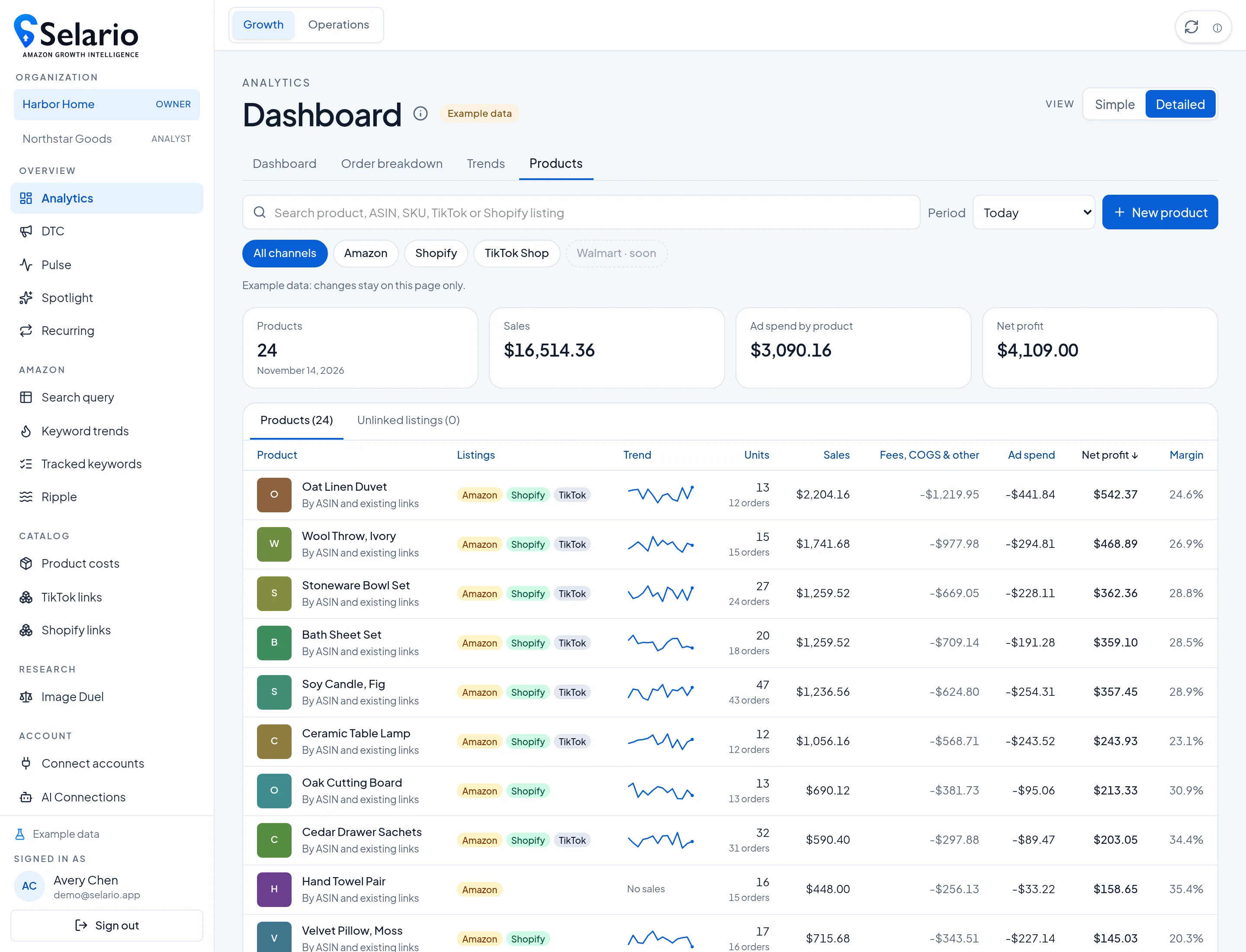
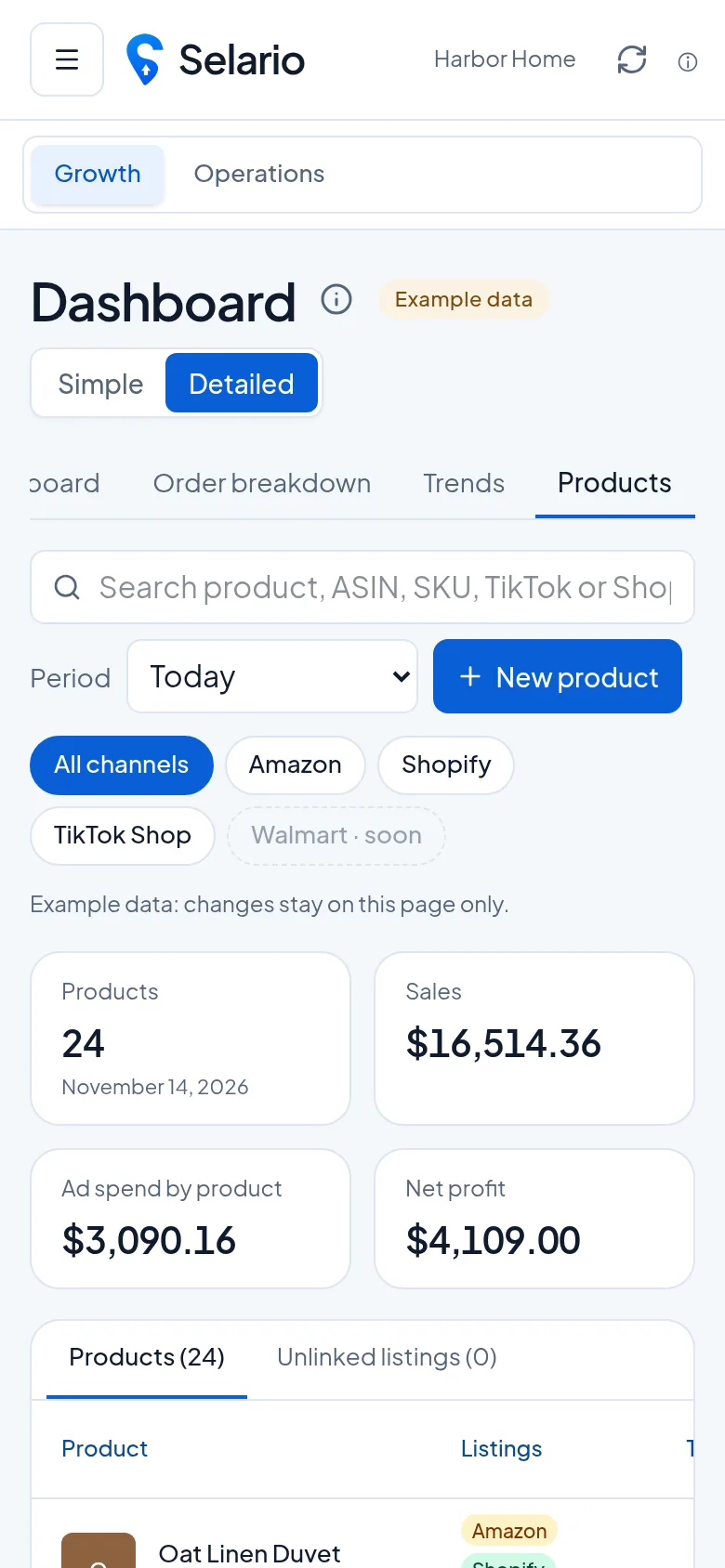
Screenshots show sample data for a fictional demo brand (Harbor Home), not a customer’s store.
One product, three marketplaces
The Analytics Products tab lists a product once, with badges for the channels you have linked — Amazon, Shopify and TikTok Shop. For the dates you pick you can see units, sales, fees and cost of goods, ad spend and net profit, plus a small trend sparkline. Open a product to compare marketplaces, or switch the channel chips to look at one storefront at a time.
Listings can be matched from an ASIN, a Shopify product and a TikTok listing that share a SKU, or you can link them yourself. Unlinked listings stay in their own list until you connect them, so nothing is quietly rolled into the wrong product.
Trend, columns and impressions
On the product Trend tab, a full comparison shows Amazon, Shopify and TikTok Shop sales and orders for the same dates, next to ads that were tied to that product. You can show or hide columns, drag to reorder them, and keep that layout in your browser. Hover any chart for that day’s figures.
This is the same honest rule as the store-level Meta ads vs Amazon sales chart: ads and sales are lined up so you can see them together. It is not a claim that a Meta impression caused a particular Amazon order.
Packs and selling units
If you sell a multi-piece pack (for example two bars of soap sold as one offer), Selario counts that offer as one selling unit, not as two separate items. That keeps units and profit consistent with how the listing is sold.
How to open it
Go to Analytics → Products. Use the Amazon, Shopify and TikTok Shop chips to focus one channel, or leave All channels on. Open a product, then Trend, for the marketplace comparison and the ads tied to that product. You can click Columns to hide or reorder fields; the layout is saved in your browser. Screenshots show the fictional Harbor Home catalog.
Where DTC fits
Shopify store sales, Meta spend, MER and profit by ad also live on the DTC page. Use Products when you want the same SKU across Amazon, Shopify and TikTok Shop. Use DTC when you want the store, the ad account and the ads manager for a date range. The store filter lets you confirm which Shopify store a Meta account should apply to, so revenue on that page follows the store, not every ad account in the login.
How linking works
Selario can suggest a link when an Amazon listing, a Shopify product and a TikTok listing share a SKU, or you can link them by hand from the Products tab. Until a listing is linked it stays in Unlinked listings, so its sales are not quietly rolled into another product. That matters when a 2-pack SKU and a single-unit SKU look similar in the title but are different offers: the pack rule still counts a multi-piece pack as one selling unit once it is the listing you sell, and a separate single-unit listing stays its own row.
After listings are linked, the product header shows channel badges and a net profit figure for the dates you picked. The Trend tab then compares Amazon, Shopify and TikTok Shop for those dates and lists ads tied to the product (Amazon ads for its ASINs, Meta ads linked to the Shopify product, TikTok ads when they are in the account). Columns can be hidden or reordered; the layout is saved in your browser, per user, so a teammate’s layout does not overwrite yours on another computer.
Fees and what “profit” includes
On Amazon, net profit subtracts promo, ad spend, refund cost, Amazon fees, cost of goods and a small indirect line when those sources are connected. In the labelled example data, those finance lines are sample figures so you can see the layout; they are not a live settlement feed. On Shopify, Amazon fees do not apply; cost of goods, discounts, shipping labels and Meta spend do. If Amazon fees have not yet loaded on a live account, the Products tab tells you that Amazon profit is before those fees until finance arrives. That warning is shown in the app so the number is not mistaken for a settled P&L.
Related: Shopify and Amazon analytics · Shopify profit by ad · TikTok halo on Amazon.
Frequently asked questions
Can I see Amazon and Shopify profit for the same product?
Yes. Link the Amazon, Shopify and TikTok Shop listings to one product on the Products tab, then open the product for a marketplace comparison and a trend view.
Does a two-pack count as two units?
No. A multi-piece pack that is sold as one offer counts as one selling unit.
Is this the same as the DTC page?
The Products tab is the cross-channel product view. The DTC page is the Shopify store plus Meta ads, MER and profit by ad for a date range.
Is Selario free?
Dashboards are free during early access, with no credit card required.