 Selario
Home › Amazon analytics
Amazon seller analytics, live and per product
One read-only dashboard for Amazon Seller Central and Amazon Ads: today’s sales and orders, net profit per product, organic vs advertising, hourly pacing and FBA stock.
✓ Free to start, no credit card required. Free while in early access.
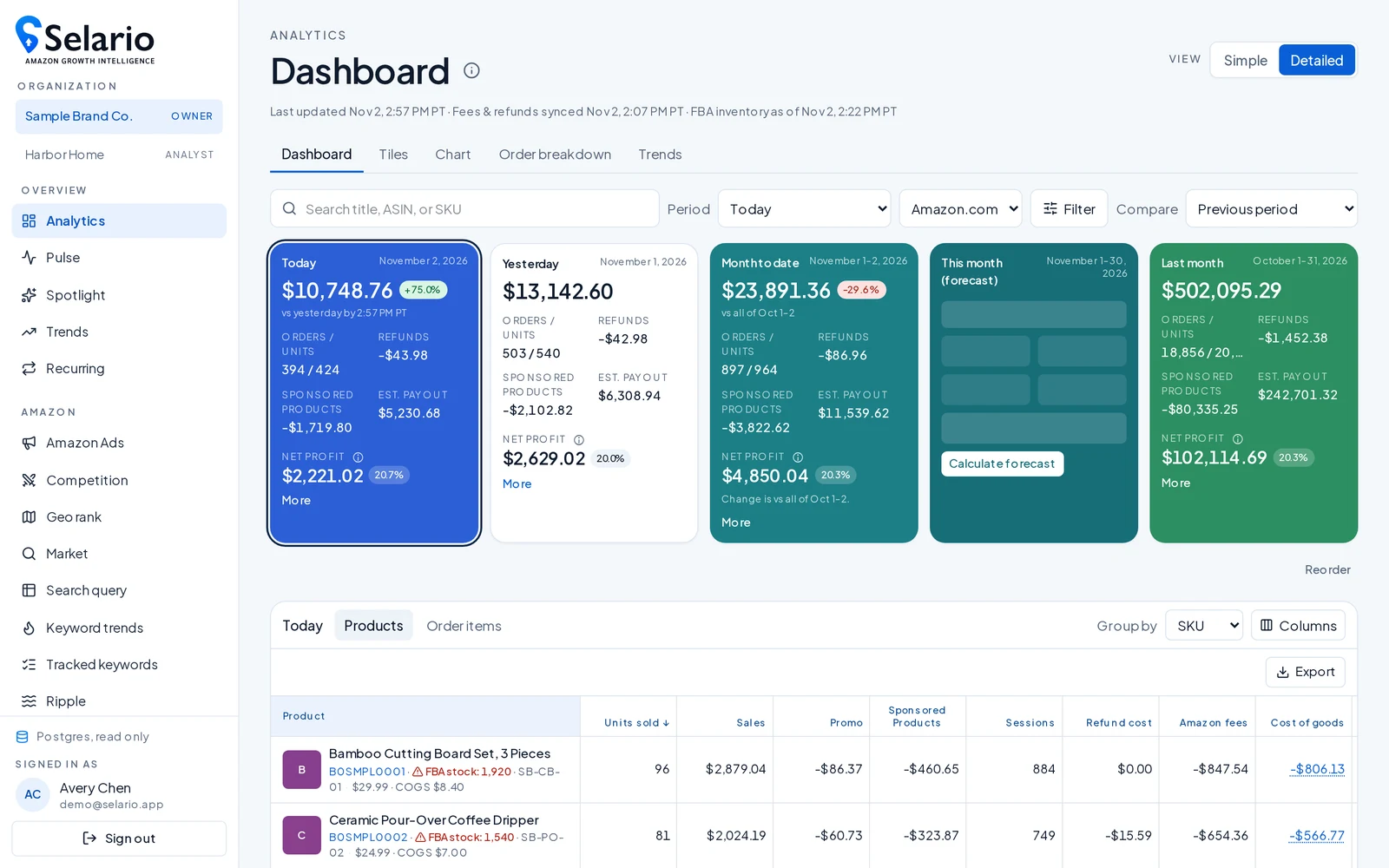
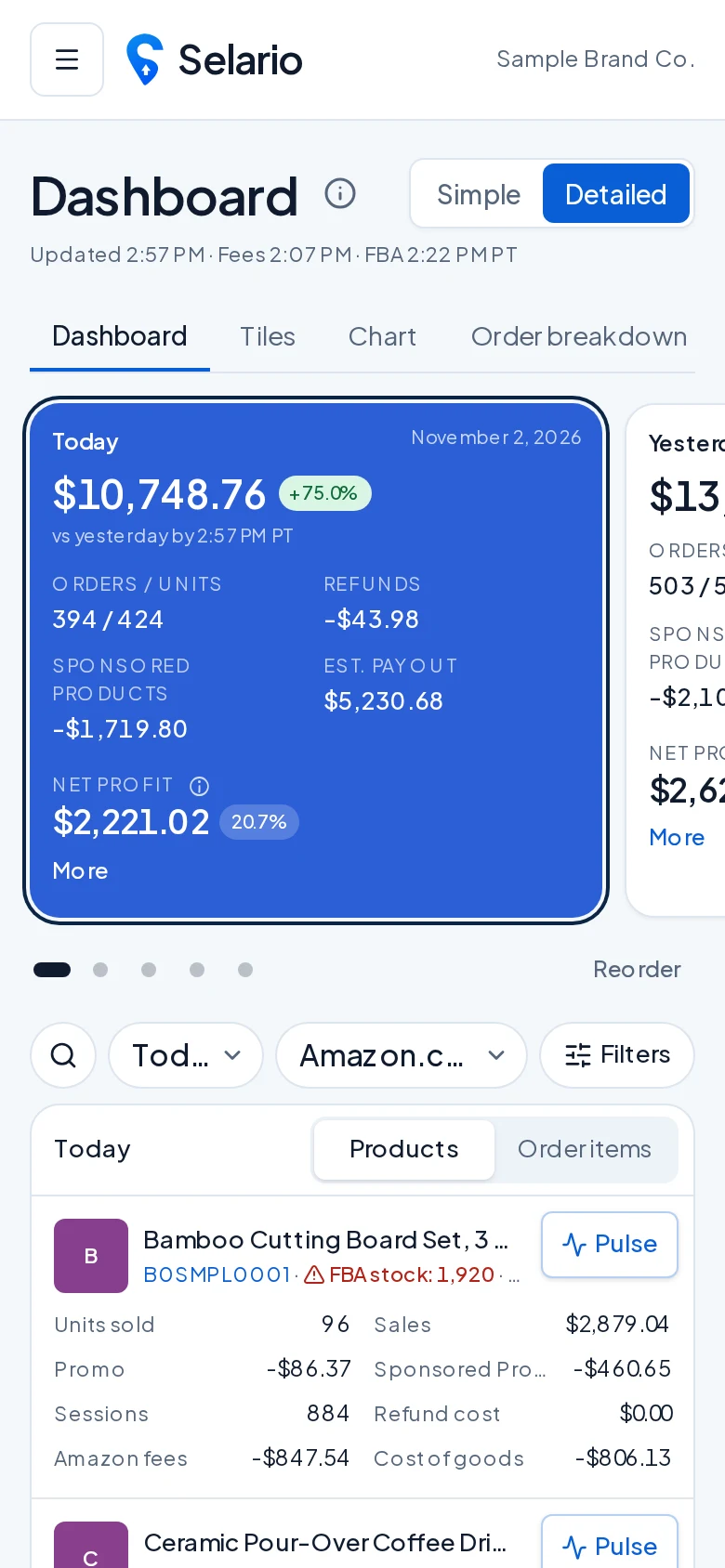
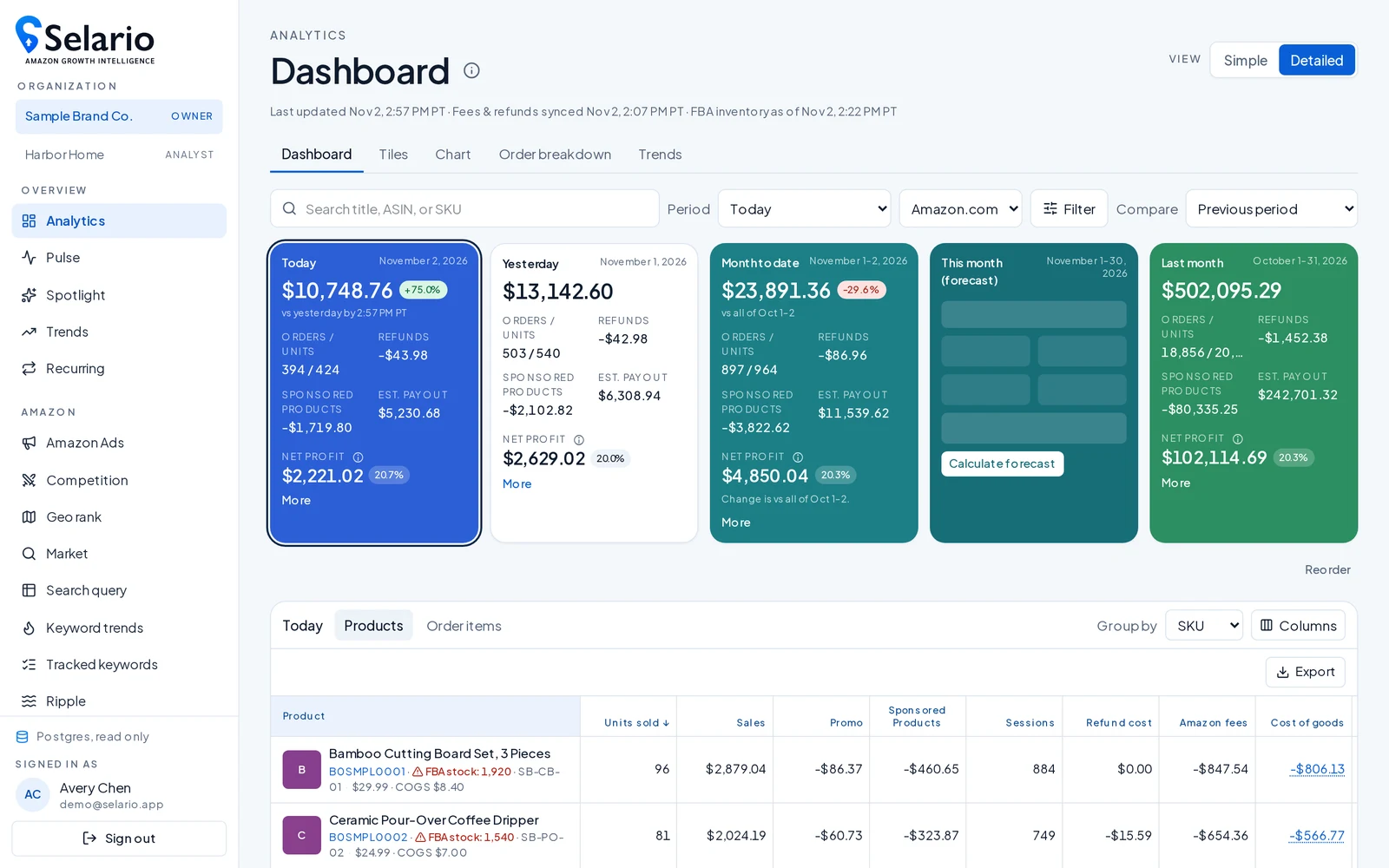
Your Amazon sales dashboard
The Analytics dashboard opens with period cards for Today, Yesterday, Month to date, a month-end forecast and Last month. Each shows sales, orders and units, Sponsored Products spend and net profit, with a comparison to the previous period. Below, every product (ASIN/SKU) has its units, sales, promotions, ad spend, sessions, Amazon fees, cost of goods and margin. Switch Simple / Detailed, filter by marketplace or ASIN, and export.
Real net profit per ASIN
Enter product costs (COGS) once, with dated versions when costs change, and Selario uses them everywhere net profit appears, alongside Amazon fees and refunds from your settlements.
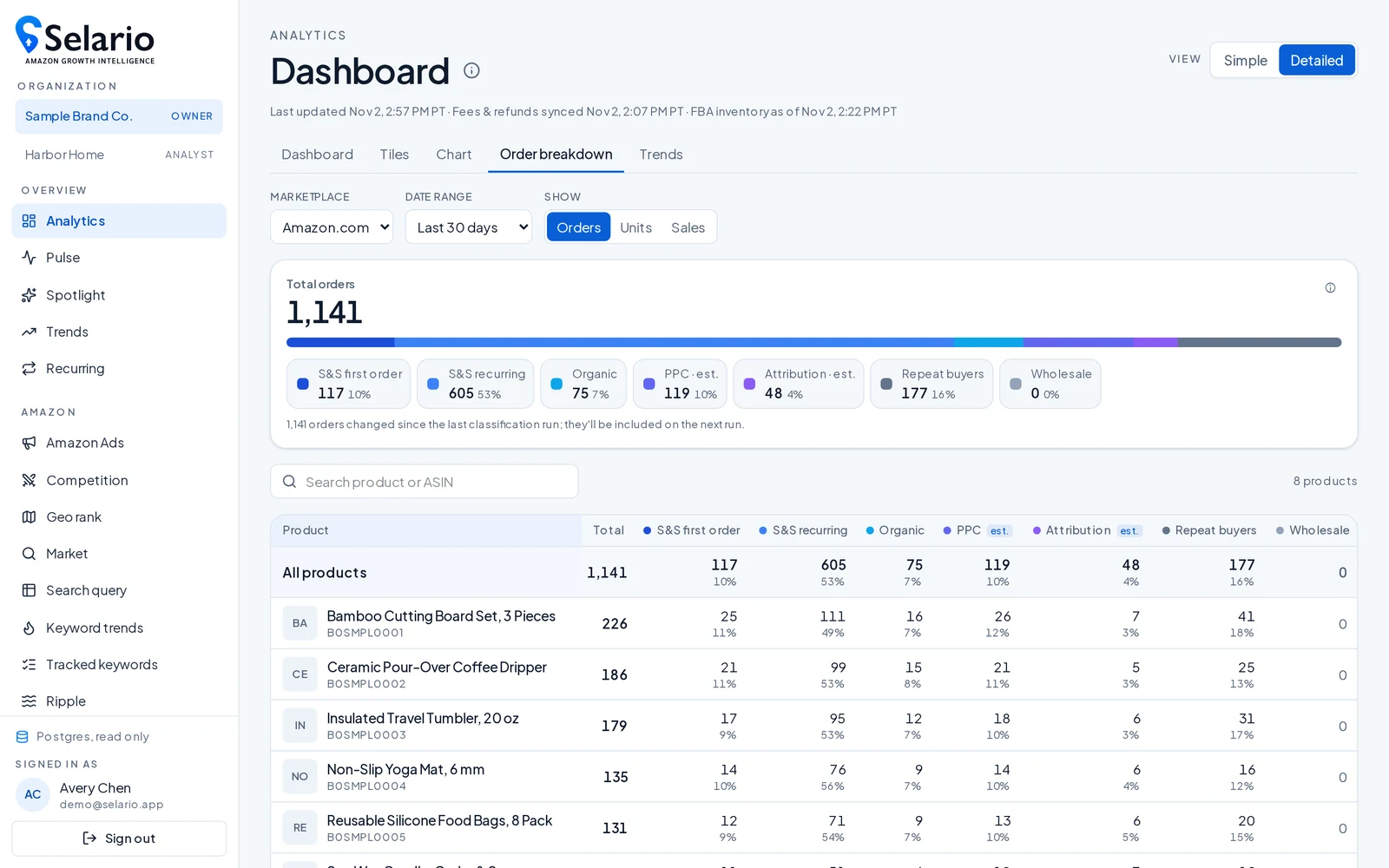
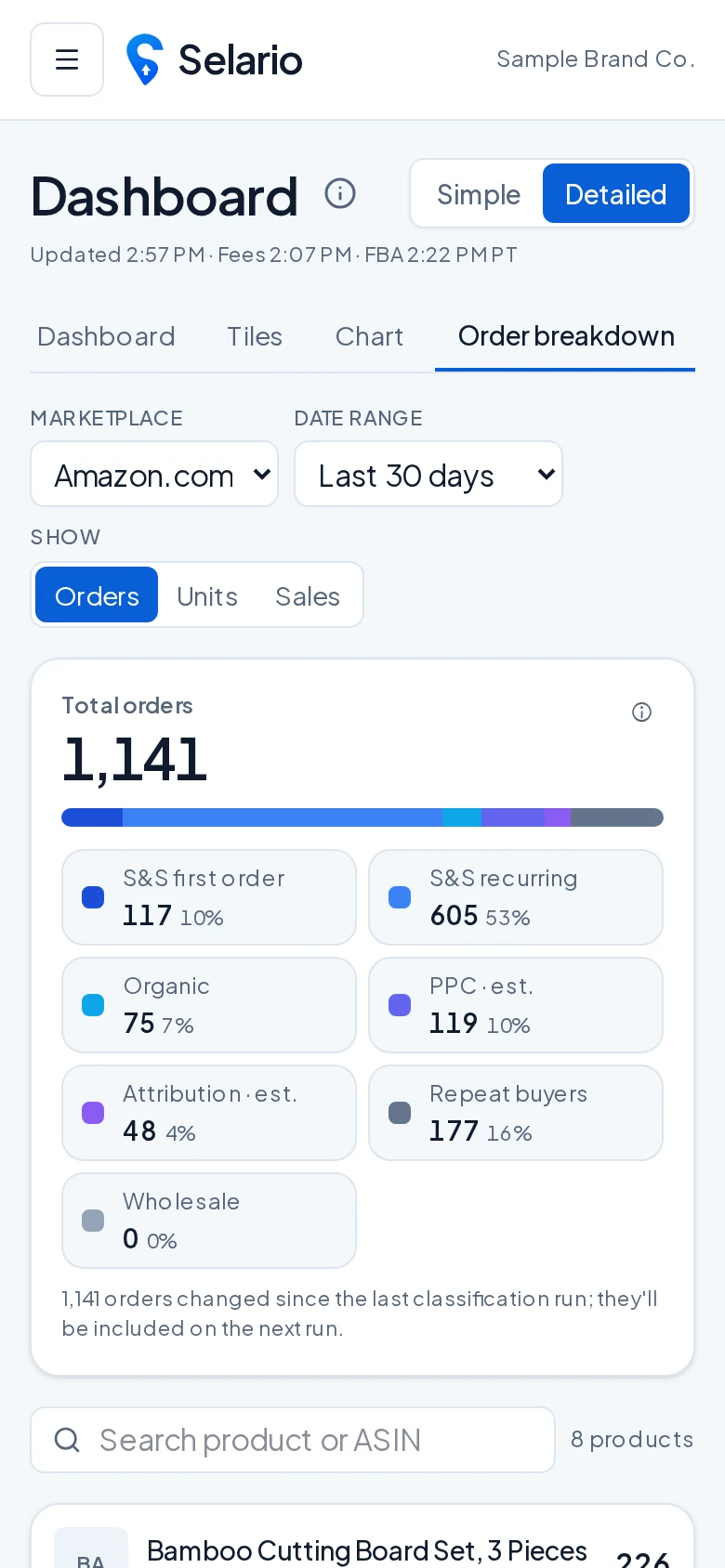
Order breakdown: organic vs PPC vs attribution
The Order breakdown splits orders for any date range by product and by source, such as organic and advertising, so you can see which sales you earned and which you paid for.
Hourly pacing with Pulse and Spotlight
Pulse shows how today is pacing hour by hour (Pacific time) against yesterday, the 7-day average or the same weekday. Spotlight follows ASINs you pick: units this hour and today vs yesterday, ad spend, a 7-day view and profit by range.
FBA inventory and TikTok stock in one place
Each product row shows a stock badge with Amazon FBA units and days of cover and, for linked items, TikTok Shop warehouse stock. Install the iPhone app to get low-stock push alerts.
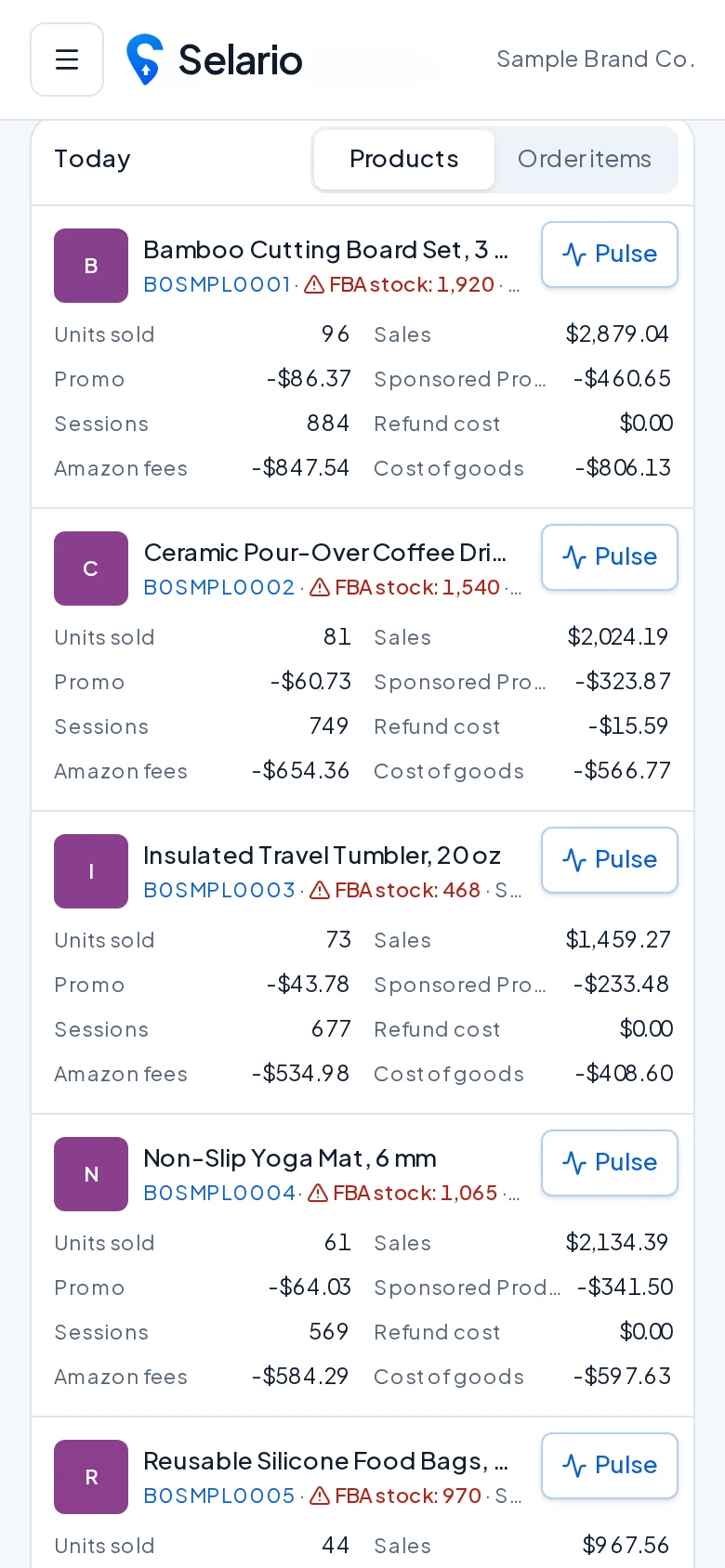
Amazon seller app for iPhone
No App Store needed: open app.selario.com in Safari, tap Share → Add to Home Screen. Selario opens full-screen, supports pull-to-refresh and can send push notifications such as low-stock alerts.
Walmart: coming soon
Walmart Marketplace support is on the roadmap. Amazon (US) and TikTok Shop are supported today.
Frequently asked questions
Is Selario’s Amazon dashboard read-only?
Yes. Selario only reads your sales, orders, inventory, fees, ads and Brand Analytics data. It never changes listings, prices, inventory or ads.
Which Amazon marketplaces are supported?
Amazon.com (US) today, with Walmart coming soon.
Is it free?
Free to start, no credit card required. Free while in early access.